

Quick Buy vs Add to Cart: Understanding Ecommerce Purchase Journeys

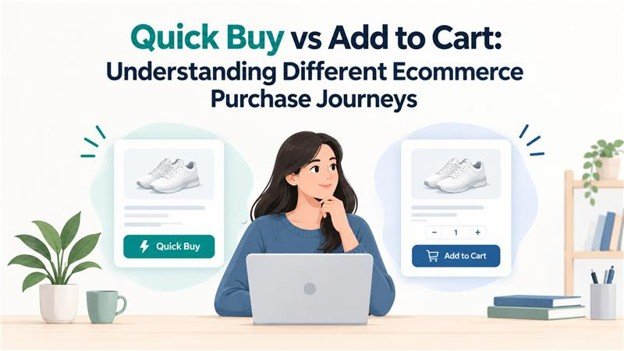
Every online shopper follows a different path from interest to payment. Some visitors browse for an hour, compare products, and build a larger basket. Others know exactly what they want and are ready to pay immediately. Your purchase buttons should support both behaviors.
In this guide, we compare Quick Buy vs Add to Cart, explain how each purchase journey works, and show WooCommerce store owners when to use one or both.
Quick Answer: Which Purchase Journey Is Better?
Neither option is best for every shopper. Quick Buy works well for high-intent buyers, single-product purchases, mobile shoppers, limited drops, and digital products. Add to Cart is better for comparison shopping, larger orders, and customers who want to browse before checkout.
Many successful ecommerce stores display both buttons so shoppers can choose the journey that suits them.
What Is an Add to Cart Button?
An Add to Cart button places a product in a virtual basket while allowing the shopper to continue browsing. The customer can add more products, adjust quantities, apply coupons, and review the order before paying.
WooCommerce uses this familiar shopping-cart flow by default, which makes it easy for customers to understand.
How the Add to Cart Journey Works
- The shopper opens a product page.
- They click Add to Cart.
- The product is added to the basket.
- The shopper continues browsing or opens the cart.
- They review products, quantities, shipping, and coupons.
- They proceed to checkout and place the order.
Advantages and Drawbacks of Add to Cart
Add to Cart is useful for stores with multiple products because it encourages shoppers to keep browsing and build a larger order. It also gives customers time to compare options and review the full cost before checkout.
The trade-off is that every additional step can create another opportunity for abandonment. This is especially important on mobile, where extra page loads and taps can make checkout feel slower.
What Is a Quick Buy Button?
A Quick Buy button, also called a Buy Now button, is a shortcut for shoppers who are ready to purchase. Depending on the store setup, the button may send the customer directly to the cart, checkout, or a checkout popup.
How the Quick Buy Journey Works
- The shopper opens a product page or shop listing.
- They click Quick Buy or Buy Now.
- The product is added to the order.
- The shopper moves directly to the cart, checkout, or popup.
- They enter payment details and complete the purchase.
Advantages and Drawbacks of Quick Buy
Quick Buy reduces friction and works well when the customer has already made a decision. It can be particularly effective for mobile shoppers, one-product stores, flash sales, tickets, downloads, and advertising landing pages.
However, a shorter journey can reduce opportunities for cross-sells, upsells, and additional products. In some categories, impulse purchases may also lead to more returns, so store owners should monitor order quality as well as conversion rate.
Quick Buy vs Add to Cart: Side-by-Side Comparison
- Main goal: Add to Cart gathers products for one combined order, while Quick Buy helps a shopper complete one purchase quickly.
- Number of steps: Add to Cart usually involves several browsing and checkout steps. Quick Buy typically uses one or two fewer steps.
- Best for: Add to Cart suits larger or mixed baskets. Quick Buy suits ready-to-buy, single-item orders.
- Shopper mindset: Add to Cart supports shoppers who are still exploring. Quick Buy supports shoppers who already know what they want.
- Upsell potential: Add to Cart creates more opportunities for related products. Quick Buy prioritizes speed.
- Mobile experience: Quick Buy usually requires fewer taps, while Add to Cart provides a more traditional shopping experience.
When Should You Use Add to Cart?
Use Add to Cart when customers are likely to compare products or purchase several items. Fashion, groceries, home goods, office supplies, and product collections often benefit from the standard cart journey.
Add to Cart is also useful when customers need to review shipping costs, apply coupons, select product variations, or compare the final order total before payment.
When Should You Use Quick Buy?
Use Quick Buy when purchase intent is high and the product can be bought with minimal consideration. It can be a strong option for downloads, tickets, limited releases, flash sales, single-product stores, and campaign landing pages.
Quick Buy can also improve the mobile experience by reducing the number of screens a customer must visit before checkout.
Why Many Stores Use Both Buttons
You do not always have to choose between Quick Buy and Add to Cart. Showing both options lets browsing shoppers build a larger order while giving high-intent shoppers a faster route to payment.
Place the buttons where their purposes are clear. Add to Cart can remain the standard action, while Quick Buy can be presented as the faster alternative for customers who are ready to check out.
How WooCommerce Quick Buy Works
WooCommerce Quick Buy functionality commonly comes from an extension or custom store feature. Depending on the tool you use, you may be able to send buyers to the cart, checkout, or a checkout popup after they click Buy Now.
Useful options can include support for simple and variable products, variation validation, product or category targeting, per-product settings, custom button labels, quantity controls, and styling options.
Important Setup Considerations
- Require shoppers to select variations before continuing.
- Test cart, checkout, and popup redirect modes.
- Decide whether Quick Buy should replace or sit beside Add to Cart.
- Keep the button label clear, such as Buy Now or Order Instantly.
- Test the experience on mobile and desktop.
- Measure conversion rate, average order value, and returns after the change.
Best Practices for Ecommerce Purchase Buttons
- Match the button to shopper intent. Use Add to Cart for browsing and Quick Buy for high-intent purchases.
- Keep the wording simple. Customers should understand what happens after the click.
- Do not hide the cart unnecessarily. Shoppers building larger orders still need an easy way to review their basket.
- Validate product variations. Prevent incomplete or inaccurate orders by requiring size, color, license, or other required choices.
- Run controlled tests. Compare checkout behavior before and after introducing Quick Buy.
- Track more than conversions. Review average order value, cart abandonment, refund requests, and repeat purchases.
Frequently Asked Questions
What is the difference between Quick Buy and Add to Cart?
Add to Cart places a product in the basket so the customer can continue shopping. Quick Buy shortens the journey by moving the customer toward the cart, checkout, or a popup immediately.
Can a Buy Now button reduce average order value?
It can if shoppers who would have added more products move straight to checkout. Showing both buttons and using checkout upsells can help protect basket size.
Is Quick Buy good for SEO?
A purchase button alone does not directly improve search rankings. However, a clearer shopping experience can support engagement, usability, and conversions. SEO still depends on useful content, technical quality, product information, and a strong overall site experience.
Can I use both Quick Buy and Add to Cart in WooCommerce?
Yes. Many stores use Add to Cart as the main action and Quick Buy as an alternative for selected products, categories, campaigns, or customer groups.
Conclusion
Quick Buy vs Add to Cart is not a competition with one universal winner. Add to Cart supports browsing, comparison, and larger baskets. Quick Buy rewards shoppers who are ready to purchase with a shorter path to checkout.
The best choice depends on your products, customer intent, device usage, and order data. For many WooCommerce stores, offering both buttons and measuring the results is the most flexible approach.
Ready to improve your store’s purchase journey? Test Quick Buy on a few high-intent products, keep Add to Cart available for browsers, and compare conversion rate, average order value, and returns before expanding the change.
